
Google Custom Search Plugin
Google Custom Search plugin allows you to add a search box to your site for a custom search provided by Google and shown in your own blog. The advantage of using this plugin is that the search results will be provided by Google and their great search engine. The results are drawn from only the websites you specify when setting your search engine up at Google. You will also be able to earn money from the ads Google shows in the search results.
What you need to do:
- Create a custom search engine at Google, entering your blog in the list of sites to search.
- After doing that, you will be able to manage your engine.
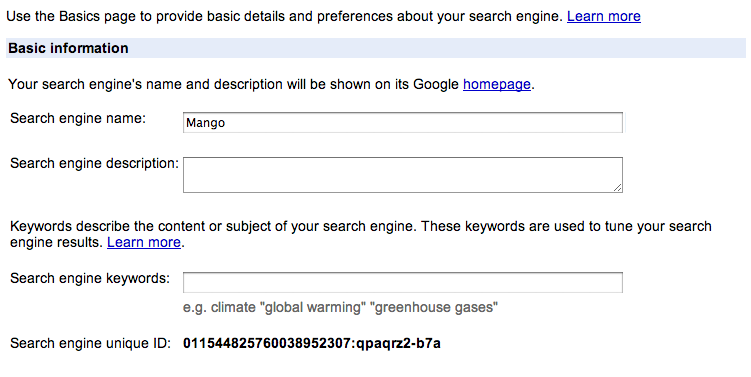
- In the section "Next steps", click on "Change the Basics".
- There grab your "Search engine unique ID" and save it for later. See image below.
- You can also change the look and feel of your search box and search results, matching your blog's design by going to "Look and Feel"
- Active the plugin in your blog admin
- Go to Settings > Google Search
- Paste your engine id in the text input provided.
The engine ID is the last in the Basic Information section:
Enter title in admin
Google Custom Search plugin allows you to add a search box to your site for a custom search provided by Google and shown in your own blog. The advantage of using this plugin is that the search results will be provided by Google and their great search engine. The results are drawn from only the websites you specify when setting your search engine up at Google. You will also be able to earn money from the ads Google shows in the search results.
What you need to do:
- Create a custom search engine at Google, entering your blog in the list of sites to search.
- After doing that, you will be able to manage your engine.
- In the section "Next steps", click on "Change the Basics".
- There grab your "Search engine unique ID" and save it for later. See image below.
- You can also change the look and feel of your search box and search results, matching your blog's design by going to "Look and Feel"
- Active the plugin in your blog admin
- Go to Settings > Google Search
- Paste your engine id in the text input provided.
The engine ID is the last in the Basic Information section:
Did You Know? Theme Update Notifications

Keeping your website looking its best often means keeping your theme up to date.
New Plugin: Syntax Highlighting with Highlight.js
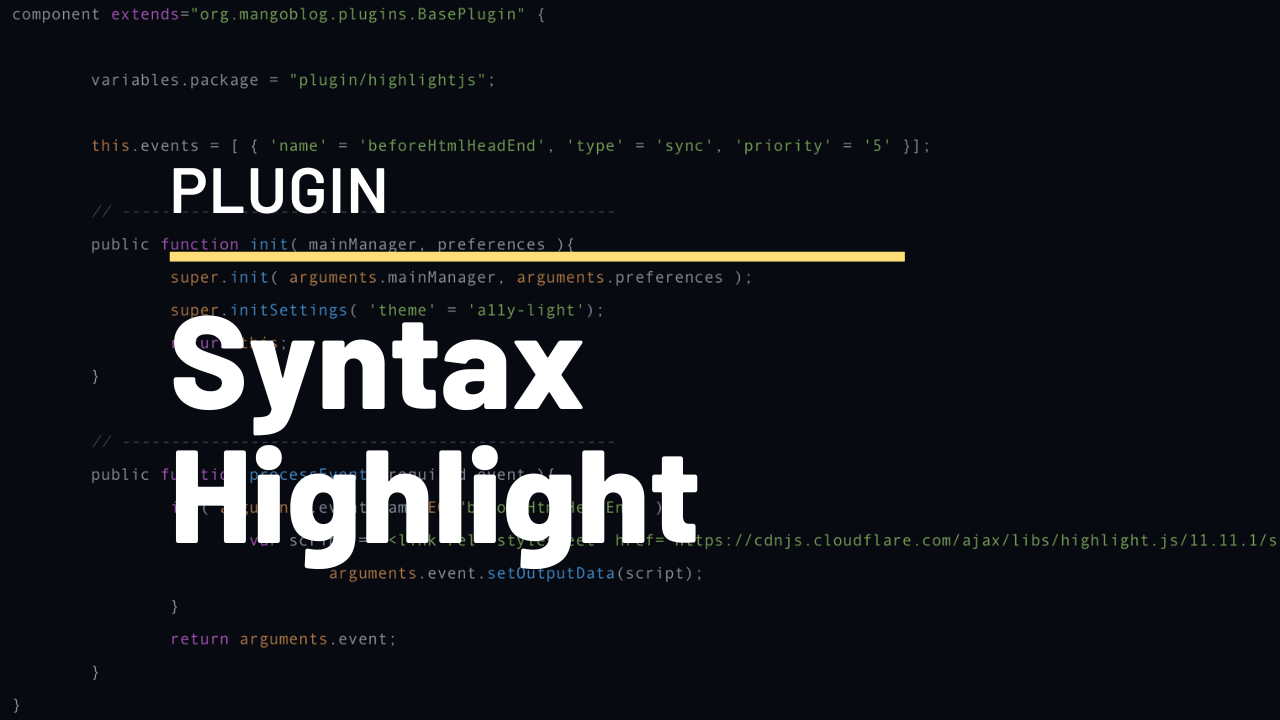
A new plugin is available to add syntax highlighting using Highlight.js.
Google Custom Search Plugin
Google Custom Search plugin allows you to add a search box to your site for a custom search provided by Google and shown in your own blog. The advantage of using this plugin is that the search results will be provided by Google and their great search engine. The results are drawn from only the websites you specify when setting your search engine up at Google. You will also be able to earn money from the ads Google shows in the search results.
What you need to do:
- Create a custom search engine at Google, entering your blog in the list of sites to search.
- After doing that, you will be able to manage your engine.
- In the section "Next steps", click on "Change the Basics".
- There grab your "Search engine unique ID" and save it for later. See image below.
- You can also change the look and feel of your search box and search results, matching your blog's design by going to "Look and Feel"
- Active the plugin in your blog admin
- Go to Settings > Google Search
- Paste your engine id in the text input provided.
The engine ID is the last in the Basic Information section: